
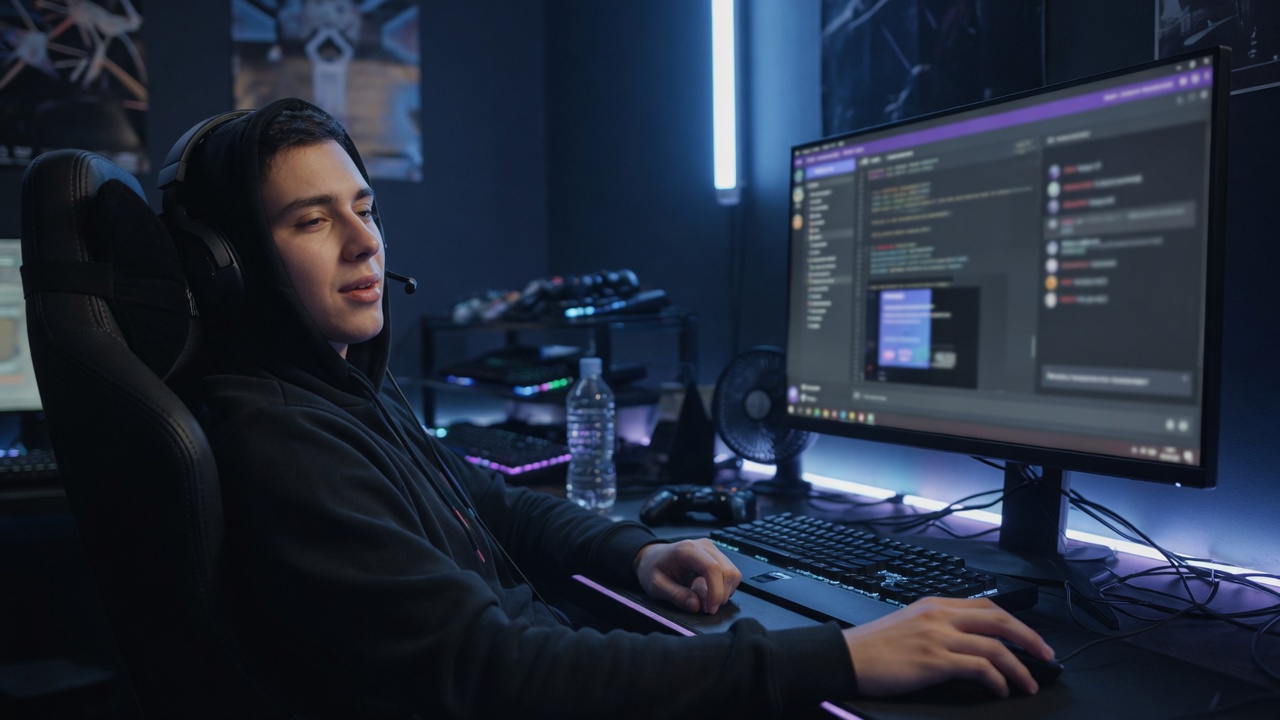
Understanding Player Fatigue in Gaming
Player fatigue is a common phenomenon experienced by gamers during extended sessions of gameplay. It refers to the overall feeling of tiredness and weariness that affects both the body and mind, leading to reduced performance and enjoyment. This fatigue is not simply physical but encompasses mental exhaustion and visual strain, which together contribute to a decline in gameplay endurance.
One of the primary causes of player fatigue is continuous exposure to intense gaming environments that demand sustained attention and rapid responses. The constant need to process fast-moving visuals, interact with complex interfaces, and make split-second decisions imposes significant cognitive load. This mental strain drains focus and increases the likelihood of errors, making it harder for players to maintain their peak performance over time.
Visual fatigue arises from prolonged screen time where players are exposed to bright lights, high contrast colors, and rapid visual stimuli. Gaming often involves staring at screens for hours, leading to dry eyes, blurred vision, and headaches. These symptoms are exacerbated in poorly optimized interfaces or when there is excessive glare, blue light, or harsh contrasts that force the eyes to work harder to adapt. Over time, this visual strain directly contributes to player fatigue, reducing the ability to stay engaged and alert.
Additionally, the immersive nature of gaming can increase mental exhaustion. Players often experience heightened emotional investment and stress, especially in competitive or high-stakes situations. The pressure to perform well, combined with repetitive tasks and sensory overload, can lead to cognitive burnout. This mental fatigue impacts decision-making abilities, reaction time, and overall enjoyment of the game.
Factors such as poor ergonomic setup, inadequate breaks, and suboptimal game design further contribute to both visual and mental fatigue. For instance, uncomfortable seating or improper screen positioning can cause physical discomfort that adds to the strain. Neglecting to take regular breaks exacerbates the accumulation of fatigue, limiting gameplay endurance and increasing the risk of long-term health issues.
Understanding player fatigue and its contributing factors emphasizes the importance of designing gaming experiences that reduce strain and support player well-being. Addressing visual fatigue through interface improvements and promoting healthy gaming habits can help extend gameplay endurance and enhance enjoyment.
Causes of Visual Fatigue in Gamers
Visual fatigue among gamers is primarily caused by prolonged screen time, exposure to blue light, and bright interface designs. Spending extended hours in front of screens forces the eyes to work harder to maintain focus, leading to eye strain. This continuous effort without adequate breaks can cause discomfort, dryness, and blurred vision, which are common symptoms of visual fatigue. Additionally, blue light emitted by screens is known to disrupt the natural sleep cycle and contribute to digital eye strain. Blue light penetrates deep into the eye and can cause damage to the retina over time, intensifying the feeling of tiredness and discomfort during and after gameplay.
Bright interfaces, especially those with high contrast between text and background or glaring white backgrounds, exacerbate eye strain. The constant exposure to intense light forces the eyes to constantly adjust, increasing fatigue and reducing visual comfort. This is even more significant in low ambient light environments, where bright screens create a harsh contrast that tires the eyes faster. Together, these factors—extensive screen time, blue light exposure, and bright interfaces—create a perfect storm for visual fatigue, hindering gamers from maintaining prolonged focus and enjoying their gaming experience fully.
Impact of Mental and Physical Fatigue on Gameplay
Mental fatigue significantly undermines a player’s ability to maintain focus during gaming sessions. When the brain becomes tired, concentration wanes, making it difficult to process game information quickly and accurately. This drop in mental clarity can lead to missed cues and slower decision-making, both critical in fast-paced gaming environments.
Physical fatigue also plays a crucial role in diminishing gaming performance. Tired muscles and overall body exhaustion affect a player’s ability to react swiftly and with precision. As physical fatigue sets in, reaction time increases, which can be detrimental in situations requiring rapid responses to in-game events or opponent actions.
The combined effects of mental fatigue and physical fatigue create a negative cycle that impairs both reaction time and overall gaming performance. Players may find themselves making more errors, missing opportunities, or simply not performing at their best. Addressing fatigue is essential to maintaining peak focus and responsiveness, which are key for success in competitive and casual gaming alike.
How Dark Mode Interfaces Mitigate Player Fatigue

Dark mode interface designs have increasingly become a favored choice among gamers and developers alike, primarily due to their significant impact on reducing player fatigue. By utilizing predominantly dark backgrounds combined with lighter text and graphical elements, dark mode helps to minimize eye strain, which is a critical factor during extended gaming sessions.
One of the main ways dark mode contributes to player fatigue reduction is by lessening the amount of blue light emitted from screens. Blue light exposure is known to cause eye discomfort and disrupt circadian rhythms, leading to tiredness and reduced concentration. Dark mode’s lowered brightness and contrast are gentler on the eyes, especially in low-light environments, promoting longer playtime without discomfort.
In addition to enhancing eye comfort, dark mode interfaces are also energy efficient, especially on OLED and AMOLED screens. These types of displays consume less power when displaying darker colors because the pixels emit less light. This energy conservation can lead to longer device battery life, allowing players to stay immersed in their games for extended periods without frequent interruptions to recharge.
From an interface design perspective, dark mode requires thoughtful selection of colors and contrasts to maintain readability and clear visibility of interactive elements. Properly designed dark mode interfaces reduce glare and visual noise, thereby easing cognitive load and enabling players to focus more effectively on gameplay. This improved focus contributes directly to enhanced player comfort and decreased fatigue.
Overall, dark mode not only supports eye health but also improves the gaming experience by providing a comfortable and energy-efficient environment. By prioritizing eye comfort and optimizing interface design around dark themes, developers can effectively reduce player fatigue, ensuring users enjoy longer and more satisfying gaming sessions.
Reduced Blue Light Exposure with Dark Mode
Dark mode offers significant blue light reduction by using darker backgrounds and lighter text, which drastically decreases the amount of blue light emitted from screens. Blue light, commonly emitted by bright displays, is a major contributor to eye strain and discomfort, especially during prolonged usage. By reducing screen brightness and minimizing blue light exposure, dark mode provides a natural eye strain relief, making it easier for players to focus for longer periods without excessive fatigue.
The benefits of dark mode extend beyond simple aesthetics. With lower luminance levels and diminished blue light emission, it reduces the harsh glare that can cause headaches and disrupt sleep cycles. This is particularly important for players who often engage with screens late into the night, as dark mode helps maintain eye comfort by mitigating the risks associated with high screen brightness and blue light exposure.
Implementing dark mode interfaces highlights how technology can be adapted to prioritize user health and comfort. By decreasing blue light and lowering screen brightness, dark mode enhances gaming experiences and supports eye health by preventing the fatigue and irritations typically caused by extended exposure to bright, blue light-filled displays.
Enhanced Contrast and Visual Comfort
Dark mode interfaces significantly improve contrast by utilizing dark backgrounds that make light-colored text stand out more clearly. This enhanced contrast is crucial for improving text readability, as it reduces the effort required for the eyes to distinguish letters and words. When text is easier to read, it naturally decreases the strain on the visual system, thereby limiting visual fatigue during prolonged gameplay or screen use.
Additionally, dark mode helps in minimizing glare, which is often a major culprit behind eye discomfort and headaches. By reducing the exposure to bright, white screens and harsh lighting, dark backgrounds provide a gentler visual environment. This reduction in glare not only protects the eyes but also creates a more comfortable viewing experience, allowing players to maintain focus for longer periods without feeling tired.
The combination of higher contrast and reduced glare enhances overall visual comfort, making dark mode an optimal choice for gaming interfaces. Players can benefit from clearer text readability, less eye strain, and a more pleasant interaction with on-screen elements. Ultimately, these improvements contribute to less visual fatigue, helping gamers stay alert and engaged while enjoying their digital experiences for extended durations.
Implementation and Best Practices for Dark Mode in Games
Implementing dark mode effectively in game interfaces requires thoughtful UI design and adherence to best practices that enhance the gaming UX while reducing player fatigue. Developers should begin by selecting dark color palettes that balance contrast and comfort, avoiding overly bright or saturated colors. This helps maintain visual clarity without causing eye strain during extended gameplay.
A key tip for dark mode implementation is to use darker backgrounds paired with subtle highlight colors to guide player attention without overwhelming the senses. Text and important UI elements should have sufficient contrast against dark backgrounds to remain easily readable. Tools like contrast checkers are essential to ensure accessibility and compliance with design standards.
Designers should also consider adaptive UI elements that respond dynamically to ambient lighting conditions, providing an optimal dark mode experience whether played during the day or at night. For example, gradual brightness adjustments and customizable dark mode settings allow players to tailor the interface to their preferences, maximizing comfort and reducing fatigue.
Effective dark mode implementation also involves optimizing visual hierarchy and minimizing unnecessary visual noise. Developers can achieve this by simplifying interface layouts, using ample spacing, and reducing glare from high-intensity effects or animations. These techniques contribute to a more relaxed gaming UX, helping players to focus and extend their session without discomfort.
Lastly, testing the dark mode interface with real users is a best practice that ensures it meets player needs and truly reduces fatigue. Gathering feedback on usability, visual comfort, and overall experience allows iterative improvements. When dark mode is well integrated, it enhances the immersive quality of the game while preserving player health and enjoyment.
Design Considerations for Dark Mode in Gaming UI
When implementing dark mode in gaming UI, careful design considerations are essential to enhance usability and maintain aesthetic appeal. The choice of color schemes plays a pivotal role; designers should prioritize muted tones and avoid overly saturated colors that may cause visual discomfort. Utilizing a limited color palette with accent colors for interactive elements ensures clarity and focus, guiding players effortlessly through the interface.
Contrast ratios are another critical factor. High contrast between text and background is necessary to ensure readability, but it must be balanced to prevent glare or eye strain, especially during prolonged gaming sessions. Following accessibility guidelines, such as maintaining at least a 4.5:1 contrast ratio for text, helps cater to all users, including those with visual impairments.
Usability aspects should also be prioritized. Dark mode aesthetics require thoughtful adjustments to iconography, ensuring icons remain visible and recognizable without harsh outlines. Incorporating subtle shadows or highlights can improve depth perception and interface navigation. Additionally, providing users with the option to toggle between dark and light modes allows for personal preference and environmental adaptability, which can further reduce player fatigue.
Ultimately, balancing dark mode aesthetics with practical design elements like color choice, contrast, and usability creates a gaming UI that is both visually appealing and comfortable to use, significantly enhancing the player experience.
User Customization and Accessibility Options
Allowing players to customize dark mode settings significantly enhances the overall gaming experience by adapting the interface to individual preferences. User customization options, such as adjusting brightness levels, contrast, and color schemes, empower players to create a comfortable visual environment that suits their unique needs. This flexibility reduces eye strain and fatigue, especially during extended gaming sessions, by minimizing harsh contrasts and excessive brightness.
Moreover, integrating accessibility features within dark mode settings ensures that games are inclusive and enjoyable for all players, including those with visual impairments or sensitivity to light. Accessibility options like adjustable text sizes, screen readers compatibility, and colorblind-friendly palettes improve usability and comfort. These enhancements not only make the interface easier to navigate but also foster a more engaging and supportive gaming environment.
By prioritizing user customization and accessibility in dark mode interfaces, game developers can create adaptive experiences that cater to diverse player needs. This thoughtful approach not only improves comfort but also encourages longer and more enjoyable playtime, reinforcing player satisfaction and loyalty. In essence, customizable dark mode settings and accessibility options are vital components for delivering a modern, player-centric gaming experience.

I’ve been exploring casino games and betting strategies since I first tried a slot machine in a local arcade. I love breaking down game mechanics, hunting for the best bonuses, and sharing responsible gaming tips with our community.
