
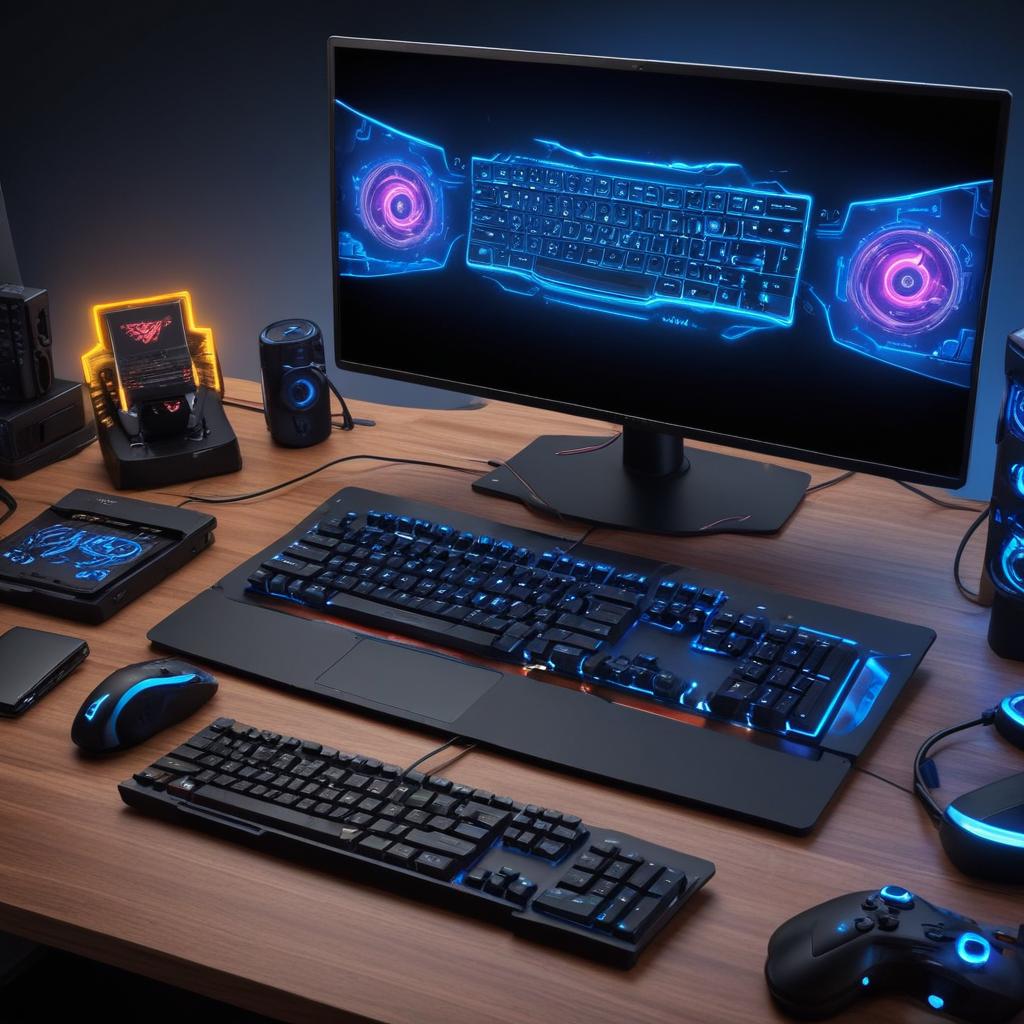
Understanding a Smooth Gaming Experience
A smooth gaming experience is defined by the seamless interaction between the player and the game environment. It involves multiple factors working harmoniously to deliver gameplay quality that is immersive, responsive, and enjoyable. At its core, smooth gaming means consistent frame rates, minimal latency, and the absence of technical glitches or interruptions that can disrupt the flow of play.
One key element contributing to smooth gaming is a high frame rate, which ensures that visuals appear fluid without stutters or lag. When the frame rate drops, the player may notice choppy movements or delays in input response, which can significantly degrade the gaming experience. Consistent frame rates keep the action crisp and maintain the illusion of a living, breathing game world.
Latency, or the delay between a player’s input and the game’s response, is another critical aspect. Low latency contributes to better control and accuracy, which is particularly important in fast-paced or competitive games. High latency can lead to frustrations like unresponsive controls or missed actions, breaking the immersion and reducing satisfaction.
Besides technical factors, gameplay quality also involves how intuitive and balanced the game mechanics are. A smooth gaming experience means players can focus on strategy and enjoyment rather than dealing with confusing controls or unfair game design. This combination of polished mechanics and technical stability creates an engaging and rewarding environment.
Ultimately, smooth gaming matters deeply to players because it preserves the integrity of the gaming experience. It allows gamers to fully immerse themselves, react quickly, and enjoy the narrative or competitive aspects without frustration. Whether playing casually or professionally, a smooth gaming experience enhances satisfaction, prolongs playtime, and fosters a stronger connection between the player and the game.
Factors That Impact Smoothness in Games
Achieving a smooth gaming experience depends on several technical and gameplay factors, each playing a vital role in how fluid and responsive a game feels. One of the primary elements is frame rate, which refers to the number of frames displayed per second. Higher frame rates result in smoother animations and more natural motion, significantly enhancing game performance. Gamers often aim for consistent frame rates of 60 FPS or higher to avoid choppiness and visual stutter.
Another critical factor is latency, which measures the delay between a player’s input and the game’s response. Low latency is essential for games that demand quick reflexes, such as first-person shooters or competitive multiplayer titles. High latency can cause delayed actions, making the gaming experience frustrating and less enjoyable. Developers and players alike work to minimize latency through optimized network connections and efficient coding.
Loading speed also contributes significantly to smooth gameplay. Long load times can disrupt immersion and lead to player impatience. Efficient data streaming and resource management within the game engine are crucial to reducing load times and enabling seamless transitions between game levels or scenes. Together, optimal frame rates, minimal latency, and fast loading speeds create a cohesive gaming environment that feels smooth and engaging from start to finish.
Player Perception and Expectations
Player satisfaction largely hinges on the perceived smoothness of a game, which is a composite of several factors including responsiveness, visual fluidity, and overall user experience. Responsiveness is critical; when players interact with a game, instantaneous feedback creates a sense of control and immersion. Any lag or delay disrupts this sensation, leading to frustration and diminished engagement. Smooth game mechanics ensure that inputs translate seamlessly into on-screen actions, fostering a more enjoyable experience.
Visual fluidity also plays a vital role in how players judge smoothness. High frame rates, consistent animation speeds, and careful attention to detail contribute to a visually coherent flow that reduces cognitive load and enhances aesthetic appeal. A game that jitters or drops frames will instantly feel less polished, regardless of how deep or innovative its gameplay might be.
Beyond the technical elements, the overall user experience influences player expectations and perception. A smooth gaming experience feels natural and intuitive, with interface elements designed to support rather than hinder gameplay. When all these facets work in harmony, player satisfaction rises, and the game can evoke a strong emotional connection with its audience. Ultimately, smoothness is not just a technical metric but a holistic measure of how well a game meets and exceeds the player’s expectations.
Technical Components That Enhance Smooth Gameplay
A smooth gaming experience relies heavily on the technical components that power your system and internet connection. Understanding these elements is crucial for gamers who want to enjoy seamless gameplay without frustrating interruptions or lag. Key hardware requirements such as a powerful graphics card, adequate processor speed, and a stable internet connection play essential roles in delivering smooth gameplay.
The graphics card is one of the most important hardware components for any gamer. It is responsible for rendering images, animations, and visual effects in games. A high-performance graphics card ensures that images are displayed quickly and with high quality, reducing stutter and frame drops that can negatively impact gameplay. For gamers who want to play the latest titles on high settings, investing in a modern graphics card is essential.
Processor speed also has a direct impact on how smoothly a game runs. The processor, or CPU, handles game logic, physics calculations, and other background tasks. A faster processor can execute these tasks more efficiently, resulting in faster load times and better performance. When paired with sufficient RAM, a strong processor helps prevent lag and keeps the game running fluidly even during intense gaming sessions.
Lastly, the internet connection quality cannot be overlooked, especially for online gaming. A high-speed internet connection with low latency is crucial to avoid delays between your actions and the game’s response. A slow or unstable connection can cause lag, disconnections, and poor synchronization with other players. For competitive gaming, a wired connection or a high-quality router can significantly enhance the stability of your internet connection.
In summary, the combination of the right hardware requirements—powerful graphics card and fast processor speed—and a reliable internet connection creates the foundation for smooth gameplay. Investing in these technical components ensures an immersive and enjoyable gaming experience, free from the common frustrations of lag and interruptions.
Role of Hardware in Gaming Performance
The hardware components of a gaming PC play a critical role in delivering a smooth gaming experience. Among these, the GPU (Graphics Processing Unit) is perhaps the most important, as it handles rendering the complex graphics seen in modern games. A powerful GPU enables higher frame rates and better visual quality, reducing lag and ensuring gameplay feels responsive and fluid.
Equally vital is the CPU (Central Processing Unit), which manages the game’s logic, physics, AI, and overall performance. A strong processor ensures that the game runs efficiently without bottlenecks, allowing seamless interactions and quick loading of game elements. If the CPU is underpowered, it can cause stuttering or delays, disrupting the smoothness of gameplay.
RAM (Random Access Memory) is also a key factor in gaming performance. Adequate memory capacity and speed allow the system to quickly access game data and assets, minimizing loading times and preventing freezes when switching between game scenes or during intensive action sequences. Insufficient RAM can result in slowdowns and choppy gameplay.
Overall, the combination of GPU, CPU, and RAM specifications defines a gaming PC’s ability to maintain a smooth and immersive gaming experience. Gamers aiming for high performance should prioritize balancing these components to match the demands of their favorite titles and achieve optimal gaming PC specs.
Internet and Network Stability
A stable internet connection is the backbone of a smooth online gaming experience. It directly impacts key factors such as ping, latency, and bandwidth—which are critical for maintaining seamless gameplay. Low ping, often measured in milliseconds, indicates how quickly your device can communicate with the game server. A lower ping means faster response times, reducing delays between player actions and game reactions, which is essential in fast-paced online gaming scenarios.
Latency refers to the delay before a transfer of data begins following an instruction. In online gaming, high latency can cause noticeable lag, making games frustrating or even unplayable. This makes network stability even more crucial since fluctuations can spike latency unexpectedly. Ensuring steady connectivity minimizes these spikes and maintains consistent performance.
Bandwidth, on the other hand, defines the maximum rate at which data can be transmitted over your internet connection. Sufficient bandwidth is necessary to handle the continuous data exchange in online games, especially when streaming or playing multiplayer games with rich graphics. Without adequate bandwidth, gamers may experience buffering, disconnections, or slowdowns, which diminishes overall gaming enjoyment.
In summary, achieving smooth online gaming hinges on a stable internet connection that provides low ping, minimal latency, and sufficient bandwidth. Together, these elements ensure that players experience responsive controls, fluid graphics, and uninterrupted gameplay vital for competitive and casual online gaming alike.
Optimizing Your Setup for a Smooth Gaming Experience
Achieving a smooth gaming experience goes beyond just having powerful hardware. Fine-tuning game settings and keeping your system software up to date are critical steps in performance optimization that can make the difference between lag and seamless play. Here are actionable tips to optimize your setup effectively.
Start by adjusting your game settings to match your hardware capabilities. Lowering graphics quality, reducing resolution, or turning off resource-heavy effects such as shadows and anti-aliasing can significantly boost frame rates and reduce stuttering. Experiment with settings like texture quality and draw distance to find a balance between visual fidelity and performance that suits your system.
Updating your system software is equally important. Regularly installing software updates ensures that your operating system is equipped with the latest performance improvements and security patches. These updates often include optimizations that help games run smoother by enhancing system stability and compatibility with the latest technologies.
Driver updates, particularly for your graphics card, play a crucial role in maintaining smooth gameplay. Manufacturers frequently release new drivers that optimize performance for the latest games and fix bugs affecting gameplay. Check the official websites of your GPU manufacturer and install the latest drivers to keep your system running at peak efficiency.
Additionally, consider using game mode or performance mode features built into your OS or graphics drivers, which prioritize game-related processes and reduce background activity. Disabling unnecessary startup programs and services can also free up system resources, allowing your game to utilize more CPU and memory for better responsiveness.
In summary, optimizing game settings and maintaining up-to-date software and drivers are essential steps toward a smooth gaming experience. By tweaking your game’s graphical options to fit your hardware and ensuring that your system software and drivers are current, you can enjoy improved performance and reduced interruptions, keeping you immersed in the game world without frustrating lag.
Adjusting Game Settings for Performance
To achieve a smooth gaming experience, it’s essential to optimize your game settings for performance. Start by tweaking the graphics settings, which can have a significant impact on how well your game runs. Lowering options such as shadow quality, anti-aliasing, and post-processing effects can boost frame rates without severely compromising visual fidelity.
Adjusting the resolution is another key factor. While higher resolutions provide crisper visuals, they demand more from your hardware. Reducing the resolution slightly can dramatically improve the frames per second (FPS), reducing lag and stutter during gameplay. Experiment to find a balance where the game still looks good but performs smoothly.
Setting an FPS cap can also help stabilize gameplay. Caps prevent the GPU from rendering unnecessary frames, which can reduce heat and power consumption while maintaining steady performance. Many games allow you to set an FPS limit tailored to your monitor’s refresh rate or your preference for smoother visuals.
Finally, consider the texture quality setting. High texture quality requires more VRAM and can cause slowdowns if your system struggles. Reducing texture quality can free up resources and maintain a smooth frame rate, especially in graphically intense scenes. By carefully adjusting these settings—graphics settings, resolution, FPS cap, and texture quality—you can optimize your gaming experience for the best mix of visuals and performance.
Keeping Software and Drivers Updated
Regularly updating your games and drivers is essential to ensuring a smooth gaming experience. Game updates often include performance patches that optimize the software, making gameplay run more efficiently and reducing lag or crashes. These updates may also introduce bug fixes that resolve issues which could otherwise interrupt or degrade the gaming session. Ignoring these updates risks playing on outdated software with unresolved problems, leading to frustration and poor performance.
Driver updates are equally important as they directly affect how your hardware communicates with the games. Graphics card drivers, for instance, are frequently updated by manufacturers to enhance compatibility with the latest game technologies and to improve rendering performance. Installing the latest driver updates ensures your system can fully support new game features and run them smoothly.
Performance patches included in both game and driver updates help maintain stability during extended play sessions and prevent unexpected crashes or freezes. By keeping both the software and the drivers up to date, you enable your system to perform at its best, minimizing technical disruptions and allowing you to immerse yourself fully in the game world.
In summary, consistent game updates and driver updates are crucial for optimizing performance, applying necessary bug fixes, and ensuring compatibility with new hardware and software advancements. Staying current with these updates is one of the simplest yet most effective ways to enjoy a consistently smooth gaming experience.

I’ve been exploring casino games and betting strategies since I first tried a slot machine in a local arcade. I love breaking down game mechanics, hunting for the best bonuses, and sharing responsible gaming tips with our community.
